

 By
By Introduction
Connecting your Wii remote to the Wii console is vital for smooth gameplay. Proper synchronization ensures your remote works seamlessly, reducing interruptions during your gaming sessions. Whether you are setting up a new console or experiencing syncing issues, understanding the process is key. This guide provides clear, step-by-step instructions to help you get your remotes ready to use.
Understanding Your Wii Console and Remote Basics
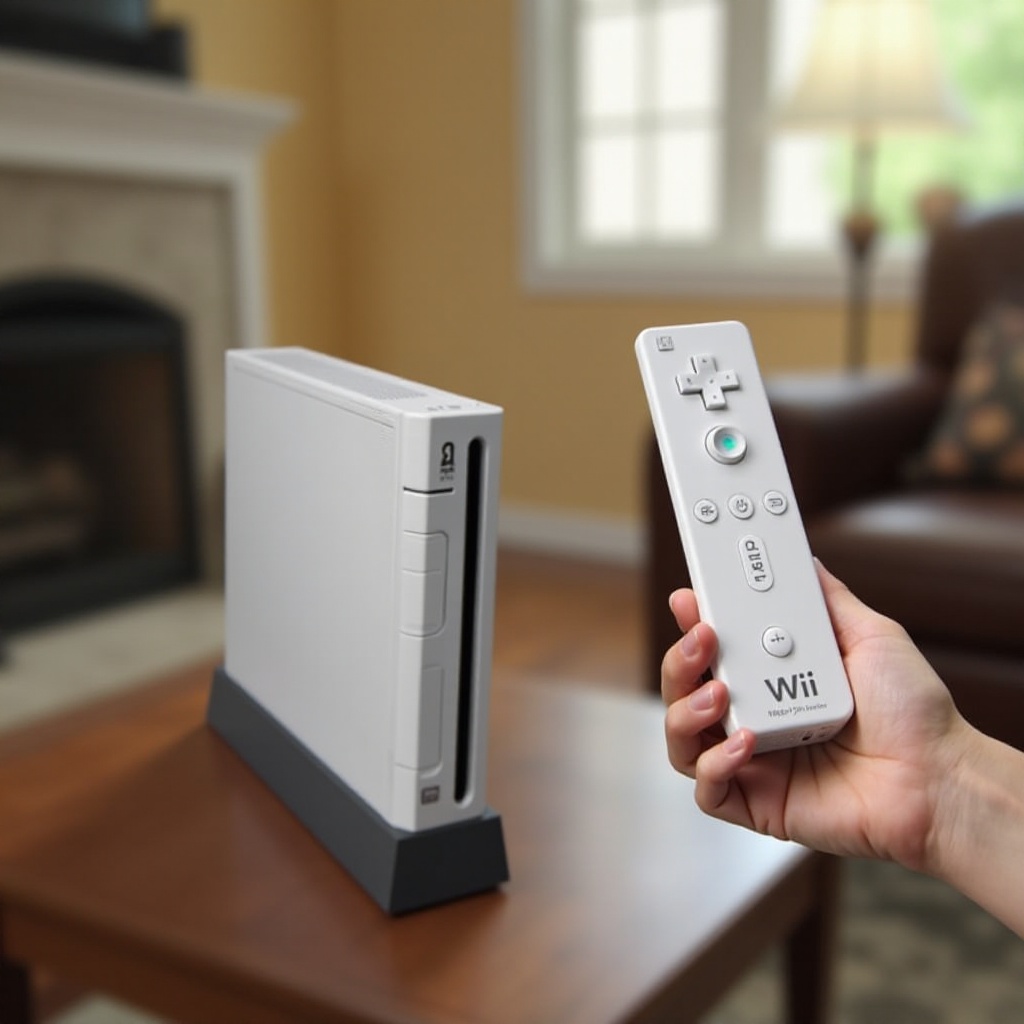
Before jumping into the synchronization process, it’s essential to know what makes up your Wii system. The Wii console, recognized for its interactive and immersive gameplay, relies on the Wii remote’s motion-sensing capabilities to deliver an engaging experience. Knowing these components’ functionalities will help you troubleshoot and enhance your gaming setup.
The sync button located on the Wii console, along with a similar button on each Wii remote, plays a pivotal role in establishing a connection. When these buttons are activated simultaneously, they allow the console and remote to communicate and pair effectively.
Preparing to Sync
Proper preparation is critical for successful syncing. Ensure your equipment is in good condition by following these steps:
- Check the batteries in each remote to ensure they are fully charged or replace them if necessary.
- Position the sensor bar correctly, ideally centered and unobstructed, to facilitate better signal reception.
- Remove any potential obstacles or interference-causing devices between the remote and the sensor bar.
Once you have prepared your console and remotes, it’s time to move into the synchronization process. The following section will guide you through syncing your devices efficiently.
Step-by-Step Guide to Syncing Wii Remotes
With preparations made, let’s dive into the process of syncing your Wii remotes:
-
Initial Synchronization Steps – Power on your Wii console and wait for the startup screen to appear. Open the SD card slot cover on the front of the console to access the red sync button. Press and release the red sync button on the console. Then, open the battery cover on your Wii remote and press and release the red sync button inside. The remote’s LED lights will blink; once a single light remains steady, the sync is complete.
-
Resyncing Previously Connected Remotes – In case of disconnection, press the sync button on the console, followed by the remote’s sync button, to re-establish the connection. Repeat the initial synchronization steps as needed.
-
Syncing Multiple Remotes – Each additional remote requires following the initial sync steps. Ensure adequate battery levels for all remotes to secure a steady connection.
Having synced your remotes, it is prudent to be aware of potential challenges that might arise. In the next section, we will delve into troubleshooting various syncing issues to ensure your gaming experience remains uninterrupted.
Troubleshooting Syncing Issues
Even with careful syncing, you might encounter issues. Here are common problems and solutions to consider:
-
Common Problems and Solutions – If a remote isn’t responding, check if the batteries are fitted correctly and replace them if needed. Make sure there are no interfering devices nearby that could disrupt the wireless connection.
-
Dealing with Unresponsive Remotes – Try rebooting the Wii console, which can often restore connections. You may also unplug the console and let it sit for a few minutes before powering it back on to reset system settings.
After addressing syncing problems, you can explore ways to enhance your gaming experience further. The upcoming section provides some useful tips on elevating your Wii gameplay.
Tips for Enhanced Gameplay
Once your remotes are fully operational, consider implementing the following tips to improve your gaming enjoyment:
- Regularly check and replace batteries in your remotes to avoid interruptions during play.
- Consider investing in add-ons such as Wii MotionPlus, which can enhance motion detection accuracy and bring a greater sense of realism to your games.
These enhancements will ensure your Wii system runs optimally, allowing you to immerse yourself fully in the gaming world. Equipped with this knowledge, you can handle potential challenges confidently and enjoy your gaming experiences without hindrance.
Conclusion
Getting your Wii remotes synced with the console is crucial for a seamless gaming experience. This guide provides a comprehensive overview of the syncing process, troubleshooting common issues, and optimizing your setup for enhanced gameplay. With this information, you can ensure your remotes remain functional, letting you enjoy everything the Wii has to offer without hassles.
Frequently Asked Questions
How do I sync multiple Wii remotes at once?
For multiple remotes, repeat the initial sync steps for each device and ensure sufficient battery life.
What should I do if my Wii remote won’t sync?
Check and replace the batteries first. If the issue persists, consider rebooting the console or performing a power cycle by unplugging it for a few minutes.
Can I use third-party remotes with the Wii console?
Yes, third-party remotes are compatible, but ensure they match Wii’s specifications for optimal performance.